
How to Get a DUNS Number in Sri Lanka

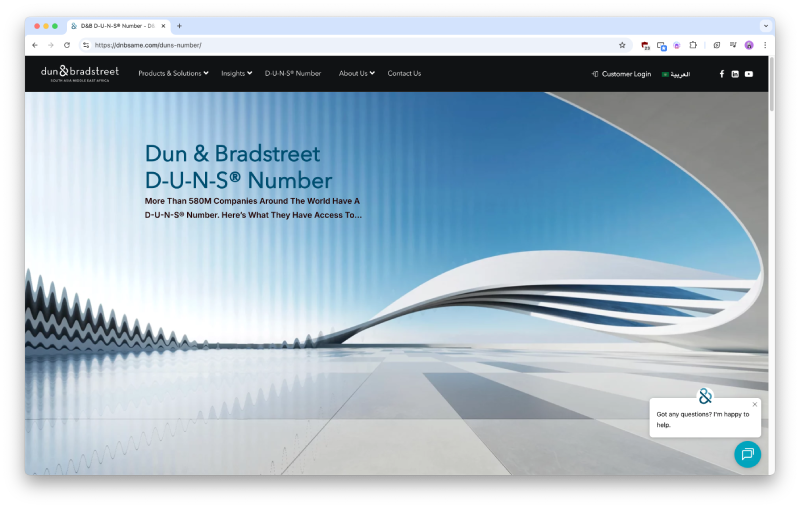
If you're planning to create a Google Play Developer, Google Ads, or Apple Inc. Developer Organization account, one thing you’ll quickly encounter is the need for a DUNS Number. This guide walks you through everything clearly and practically, based on real-world experience, so you can complete the process without confusion or delays.
What is a DUNS Number?
A DUNS (Data Universal Numbering System) number is a unique 9-digit identifier issued by Dun & Bradstreet.
It’s used globally to:
- Verify your business identity
- Build a business credit profile
- Enable partnerships with platforms like Apple, Google, and global vendors
Think of it as your business ID in the international ecosystem.
Why Do You Need a DUNS Number?
You’ll need a DUNS number if you want to:
- Publish apps as a company on Google Play
- Register for an Apple Developer Organization Account
- Build business credibility internationally
- Work with global vendors, investors, or financial institutions
Without it, platforms like Apple, Google may not recognize your business as a legal entity.
Is It Free?
Yes, applying for a D-U-N-S® Number through Dun & Bradstreet is completely free, but the standard process can be slow.
If you are in a hurry, you can request priority service from official emails, which may provide the number within about 3 days; however, this expedited service can cost approximately USD 700.
Step-by-Step: How to Get a DUNS Number in Sri Lanka
Step 1 – Apply Online
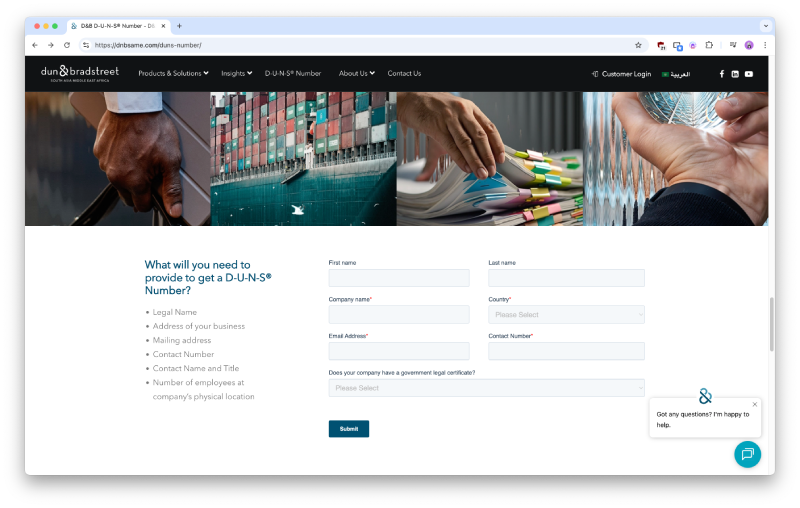
Go to the official DUNS registration page, (dnbsame.com/duns-number) and fill out your business details:
- Legal Name
- Address of your business
- Mailing address
- Contact Number
- Contact Name and Title
- Number of employees at company’s physical location
Make sure everything matches your official documents.
Step 2 - Respond to Verification Email
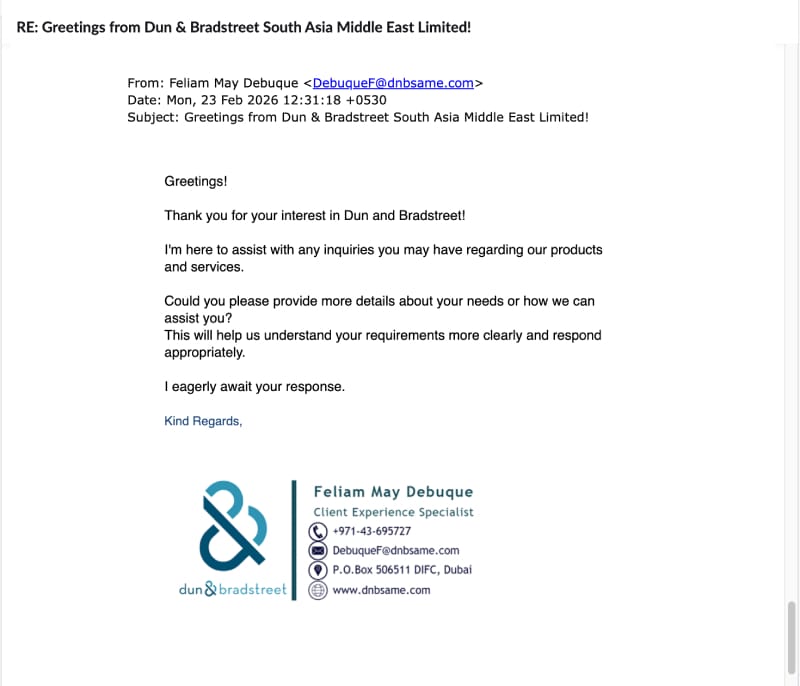
After submitting, you’ll receive an email asking:
“What is this for?”
Reply clearly with something like:
“I need a DUNS number for Google Developer and Apple Developer Organization accounts.”
This helps speed up processing.
Step 3 - Handle the Form Carefully
You may receive a Word document (.doc) to complete.
Important tips:
- Don’t edit the file directly (formatting changes can cause rejection)
- Convert DOC to PNG Converter: https://cloudconvert.com/doc-to-png
- Then PNG to PDF: https://png2pdf.com/
- Use tools like Sedja Online PDF editor to fill it properly: https://www.sejda.com/pdf-editor
Step 4 – Prepare Your Company Details
You must have a registered company (PVT LTD).
Required details:
- Company name
- Registered address
- Contact number
- Official email
Step 5 - Submit Form 1
You’ll need to attach your Form 1 (Company Registration Document).
Tip:
- Hide sensitive signatures using a black overlay before submitting
Step 6 - Required Documents Checklist
When submitting, include:
- Filled application form (PDF)
- Business Registration (BR)
- Form 1 (with hidden signatures)
- Bank confirmation letter
Step 7 - Bank Confirmation Letter
This document must include:
- Company name
- Address
- Account number
- Bank name
Missing details can delay your application.
Step 8 - Wait for Approval
Typical timeline:
- DUNS Number Issued: 4 - 6 weeks
- System Activation: +7 - 14 days
Be patient this part is slow but normal.
DUNS Number Lookup & Verification
The D-U-N-S Number Lookup & Verification process is used to identify and validate your business in global databases managed by Dun & Bradstreet (D&B). Once your D-U-N-S number is issued, you can check its status through official D&B lookup tools to confirm that your business information is correctly registered and active. This helps ensure that your company details, such as legal name, address, and ownership, are properly verified.
After You Get Your DUNS Number
1. Create Google Play Developer Account
Create a Google Play Developer Account to start publishing apps on the Play Store. This is usually the first and most straightforward step, as Google provides a relatively simple onboarding process. The cost is a one-time registration fee of $25 USD (approximately LKR 7,500 to 8,000 depending on the exchange rate). There are no monthly or yearly subscription charges, and the fee is paid only once per developer account, not per app. Once the payment is completed, your account is activated, and you gain full access to publish and manage applications on Google Play.
For monetization, you can integrate AdMob to display ads in your apps and generate revenue. AdMob is linked to an AdSense account, which is used for receiving payments. In general, one person can manage two separate AdSense accounts if they are properly structured for example, one as an individual account and another tied to a business (D-U-N-S verified organization). However, Google’s policy allows only one AdSense account per payment profile type per person/entity, and you must ensure each account is genuinely separate and compliant.
It is important to note that if you operate multiple businesses under the same legal entity, you typically cannot create multiple AdSense business accounts for the same entity. Google requires one verified business AdSense account per organization to prevent duplication and maintain policy compliance. Each AdMob app can still generate revenue under that single approved AdSense account, regardless of how many apps you publish.
2. Apply for Apple Developer Account
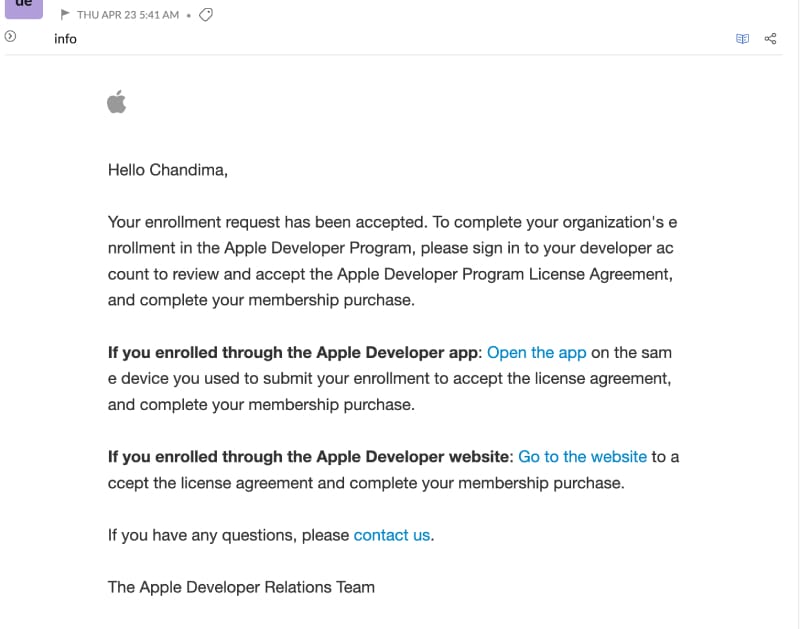
Apple’s App Store developer enrollment process is more strict compared to other platforms and usually takes around 2 to 8 weeks for approval, depending on Apple’s review workload and verification checks. During this period, your application may remain in a “pending” status for some time, which is normal and not a cause for concern. Once your application is approved, you are required to complete the payment within 7 days to activate your developer account and start publishing apps on the App Store.
For developers in Sri Lanka, the Apple Developer Program costs $99 USD per year (approximately LKR 30,000 to 35,000 depending on exchange rates). This is a yearly subscription fee, unlike Google’s one-time payment model. The account must remain active annually by renewing this fee to continue publishing apps.
Apple also requires proper banking and tax documentation during setup in App Store Connect. Depending on your account type, you will need to submit forms such as W-8BEN (individuals) or W-8BEN-E (organizations) to comply with international tax regulations and payment processing rules. These documents ensure your earnings from apps and in-app purchases are handled correctly.
For payments, it is important that your bank account details match your Apple Developer registration name. If you register as an individual, the bank account should be under your personal legal name. If you register as an organization, the account should match your company name verified through the D-U-N-S number system. While not mandatory, having a USD bank account is highly recommended in Sri Lanka, as Apple pays developers in USD. This helps reduce currency conversion losses, minimizes bank fees, and ensures smoother international transactions.
Common Mistakes to Avoid
- Editing official documents incorrectly
- Submitting incomplete bank details
- Using mismatched company information
- Applying without a registered company
These can easily delay or reject your application.
Final Thoughts
Getting a DUNS number in Sri Lanka isn’t complicated, but it does require patience and careful attention to detail. If you follow the process correctly and submit accurate information, your business will be officially verified as a legitimate entity. This allows you to publish apps under your company name and gain access to global platforms, opening the door to international opportunities and growth.